Continuous Integration and Delivery with CircleCI 2.0

Hey there, dynamic folks!
Millions of years later and I'm back \o/
In this article I'll talk about an amazing CI/CD tool: CircleCI.
Well, for those who don't know, CI/CD is basically this:
Continuous Integration (CI): Keeping all developed code in a place where you can build and test the project, as well as identify changes made to it. An example is keeping the code in a repository (GitHub, GitLab, CodeCommit, others) with tests, automated builds, and other features.
Continuous Delivery (CD): It's an extension of Continuous Integration that can have pipeline steps to ensure that a release can go to production. It is the continuous delivery (seriously!?) of the product to production, at any time. This means it's possible to build the project, run automated tests, and deploy to production — or skip all of that and go straight to it and just hope for the best… (hahaha 🙊).
Example of a pipeline with ❤️AWS ❤️.
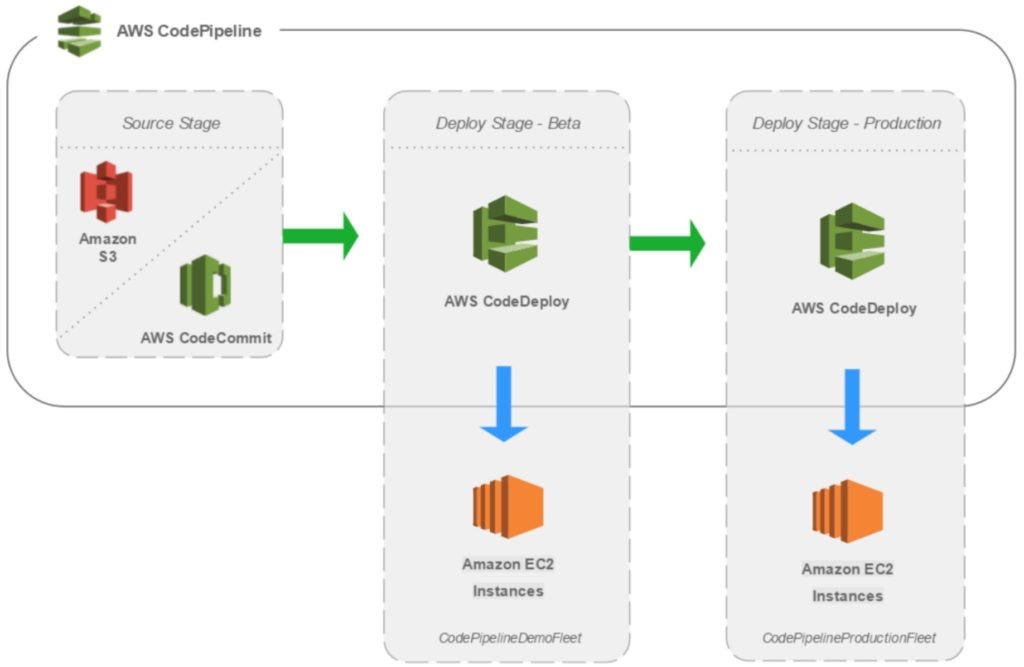
Alright champs… But where does CircleCI come in?
Well, CircleCI is a CI/CD tool that aims to automate your deployment pipeline. And it's amazing — very easy to configure and it has many resources that I'll show throughout this article.
CircleCI integrates with GitHub, GitHub Enterprise, and Bitbucket, and whenever code is committed to a branch, a build is triggered (according to the configuration, of course).
It's also possible to automatically test your build in a separate container or in a VM.
After the Workflow steps are completed (I'll explain more later), the team can be notified in case of failure or success.
So the entire deployment is automated :)
Some great possibilities in CircleCI:
-
Workflows for orchestrating Jobs (this is beautiful).
-
Choose the CPU/RAM according to your needs (fast and furious).
-
Cache to speed up your build =D
-
Docker Container support
-
Language agnostic (supports any language based on Linux or macOS, including C++, Javascript, .NET, PHP, Python, and Ruby).
-
SSH or Local Build for debugging
-
Insights
-
Lots of security =D 🔐
Alright, so how do you get started? Sign up at https://circleci.com/ and start the project by selecting your repository (GitHub or Bitbucket).
To better explain some of the steps, I created a project on GitHub that you can fork to integrate with CircleCI, or create your own project.
https://github.com/Tautorn/cicd-circleci.git
I used create-react-app to generate the app.
Alright, now access the CircleCI dashboard and click on "Add Project".
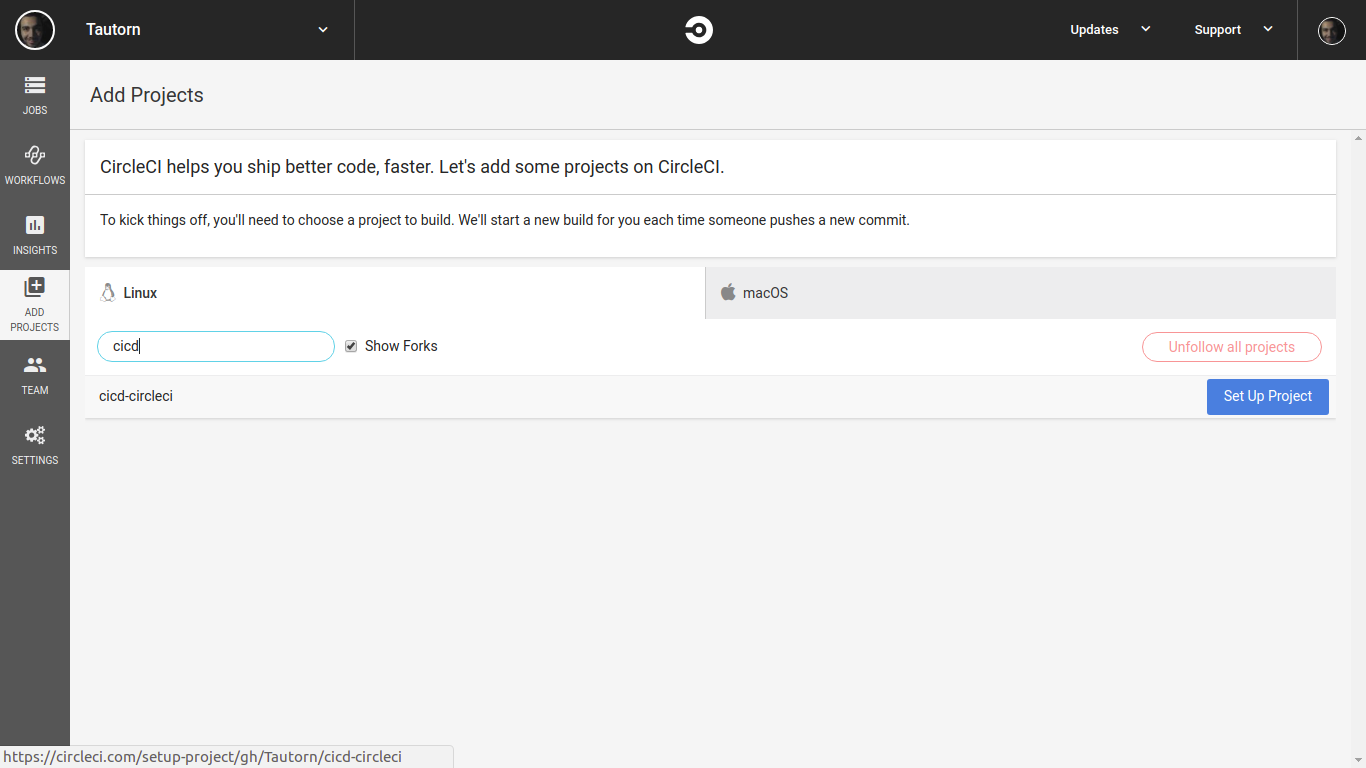
Now choose the OS and language.
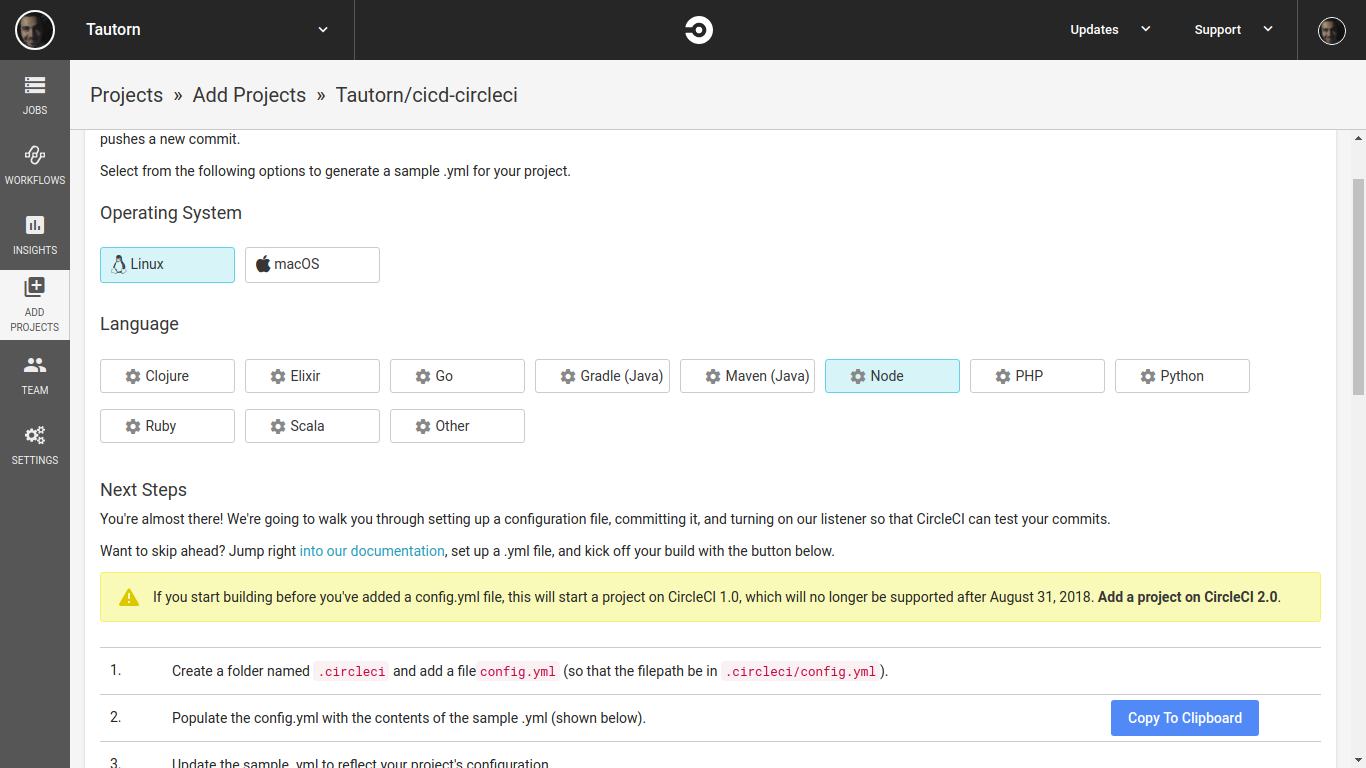 Use Linux and Node.
Now it's time to configure our ./circleci/config.yml file so we can create our full workflow for CircleCI to capture changes made in the project.
Below is a first version of the project where I defined a job called build using an image with Node 8.0.
In the jobs, I can describe my steps. In the example below, a checkout is done on the project, followed by downloading and caching dependencies and running tests.
version: 2
jobs:
  build:
    docker:
      - image: circleci/node:8.9.4

    working_directory: ~/cicd-circleci

    steps:
      - checkout

      - restore_cache:
          keys:
          - v1-dependencies-{{ checksum "package.json" }}
          - v1-dependencies-

      - run: yarn install

      - save_cache:
          paths:
            - node_modules
          key: v1-dependencies-{{ checksum "package.json" }}

  test:
    docker:
      - image: circleci/node:8.9.4

    working_directory: ~/cicd-circleci

    steps:
      - checkout

      - restore_cache:
          keys:
          - v1-dependencies-{{ checksum "package.json" }}
          - v1-dependencies-

      - run: yarn test
But the pipeline above alone is not enough to build and deploy the project to production — plus I'm not listening to my branches for that job to run. That's where Workflows come in.
Orchestrating Workflows
In simple terms, Workflows is a collection of rules for defining steps to execute your jobs. With this you can orchestrate complex tasks with simple steps.
It's also possible to define which branches will trigger a job, approvals, report generation, insights, and much more. To learn more: https://circleci.com/docs/2.0/workflows/
Now let's add the workflow at the end of the config.yml file:
workflows:
  version: 2
  build_and_test:
    jobs:
      - build
      - test
This workflow runs two jobs, build and test, giving us the following workflow:
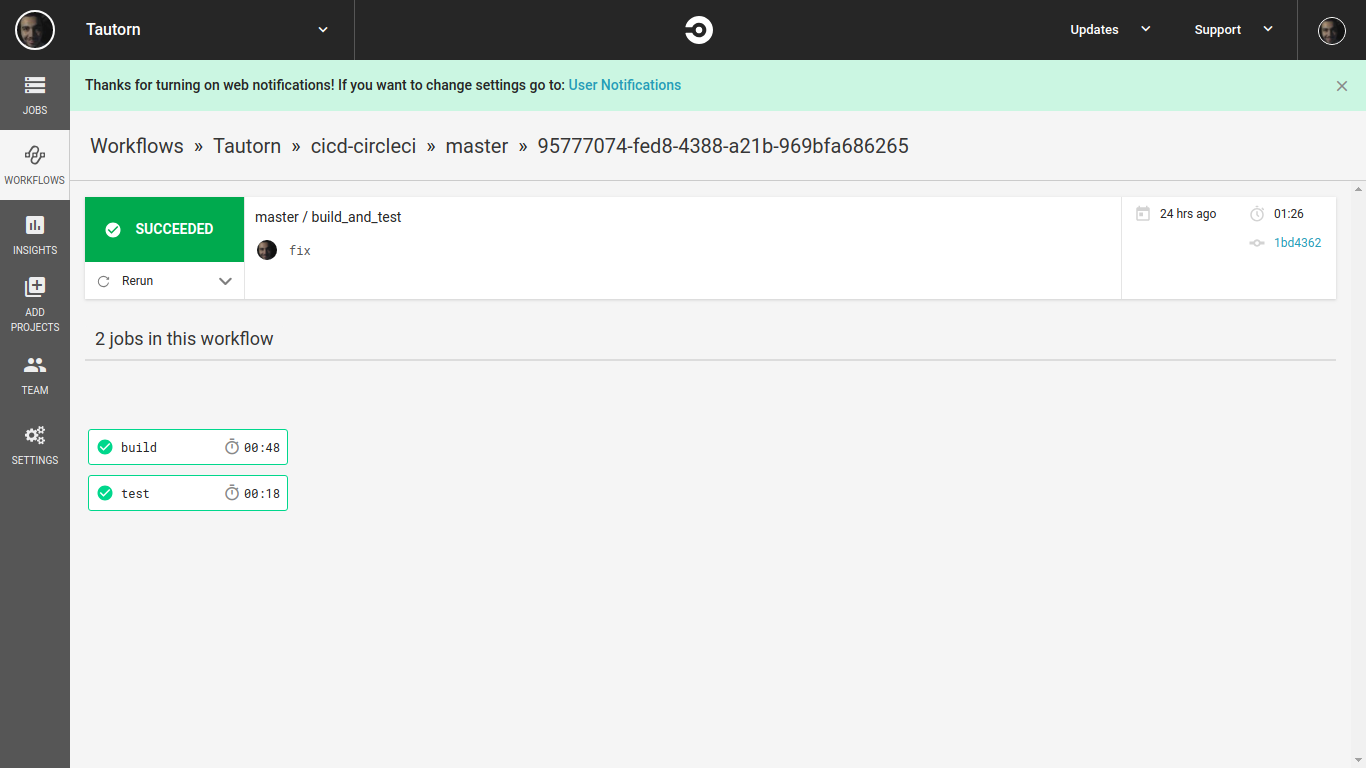
Done — our first workflow is ready, but it's very simple and doesn't give us many advantages. Notice that we have two steps, test and build, and they run at the same time, which isn't ideal, because if one fails the other will still run. The better approach is to run them in stages.
Also, the Workflow is triggering all branches, meaning a commit to any branch in the project will trigger a job, which can slow down the verification process and cause queuing.
To improve this flow I'll add some stages, separate the test from the build, add an approval step, and add branch filters for deployments to two environments (development and production), ending up like this:
workflows:
  version: 2
  build-and-deploy-on-hold:
    jobs:
      - build:
          filters:
            branches:
              only:
                - master
                - development

      - test:
          requires:
            - build

      - hold:
          type: approval
          requires:
            - test

      - deploy-development:
          requires:
            - test
            - build
          filters:
            branches:
              only: development

      - deploy-prod:
          requires:
            - build
            - test
            - hold
          filters:
            branches:
              only: master
Notice that on lines 21 and 29 I added two steps that will run on separate branches — a deploy to the development environment and another to the production environment.
But notice that line 33 has a required hold item, which is nothing more than an approval step. In other words, the deploy-prod job will only run if someone manually approves it. Until that happens, the step will be paused — it does not continue the Workflow. Amazing, isn't it!?
The output looks like this:
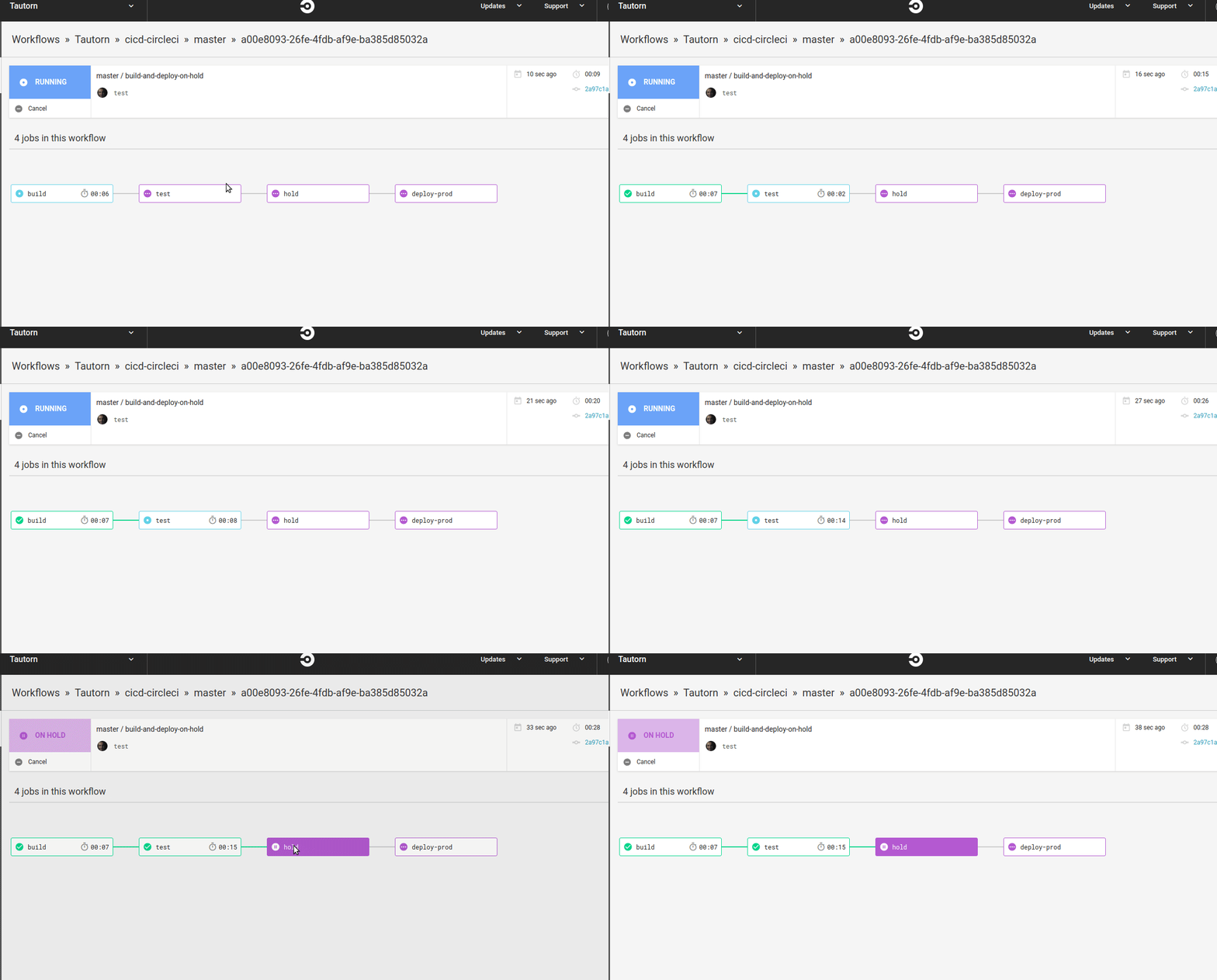
This creates a great level of organization and visibility over what's happening in my CI/CD. And in each step it's possible to see exactly what's happening, as well as identify and handle errors during the Workflow. You can enable notifications to know whether each stage succeeded.
With CircleCI there are huge possibilities — it's a fantastic tool, and here I only showed a fraction of it; otherwise this article would have been enormous hahahah.
Additionally, it's possible to insert shell scripts to organize your code, create test routines, perform a deployment, run commands directly, persist files, and much more.
In this first example I left the deploy job empty, but in my next article I'll show a configuration for deploying an application to production using S3 and CloudFront.
The full configuration is in my repository: https://github.com/Tautorn/cicd-circleci/blob/master/.circleci/config.yml
Just a reminder that this was an example to demonstrate how to integrate with GitHub and create an extremely simple workflow — it essentially has 3 valid steps and the actual deployment was not implemented.
References: